Building Neptune EHS, software for safety and compliance teams

Noman IkramCOO
5 min read
Contents
Neptune EHS is software for safety and compliance teams, and a product CodeSwift built. We designed and built it in 2026, from the first backend commit to the launch film. Neptune EHS runs as a separate company.
This note covers the decisions that shaped it. Most of them apply to any software where a regulator, not the product team, defines the terms.
The job
Safety teams record what harmed someone, what almost did and what could. They follow up with corrective actions, run audits and inspections, and report injury rates under OSHA rules. Neptune is for the people who do that work: EHS directors, leads and managers, supervisors and workers.
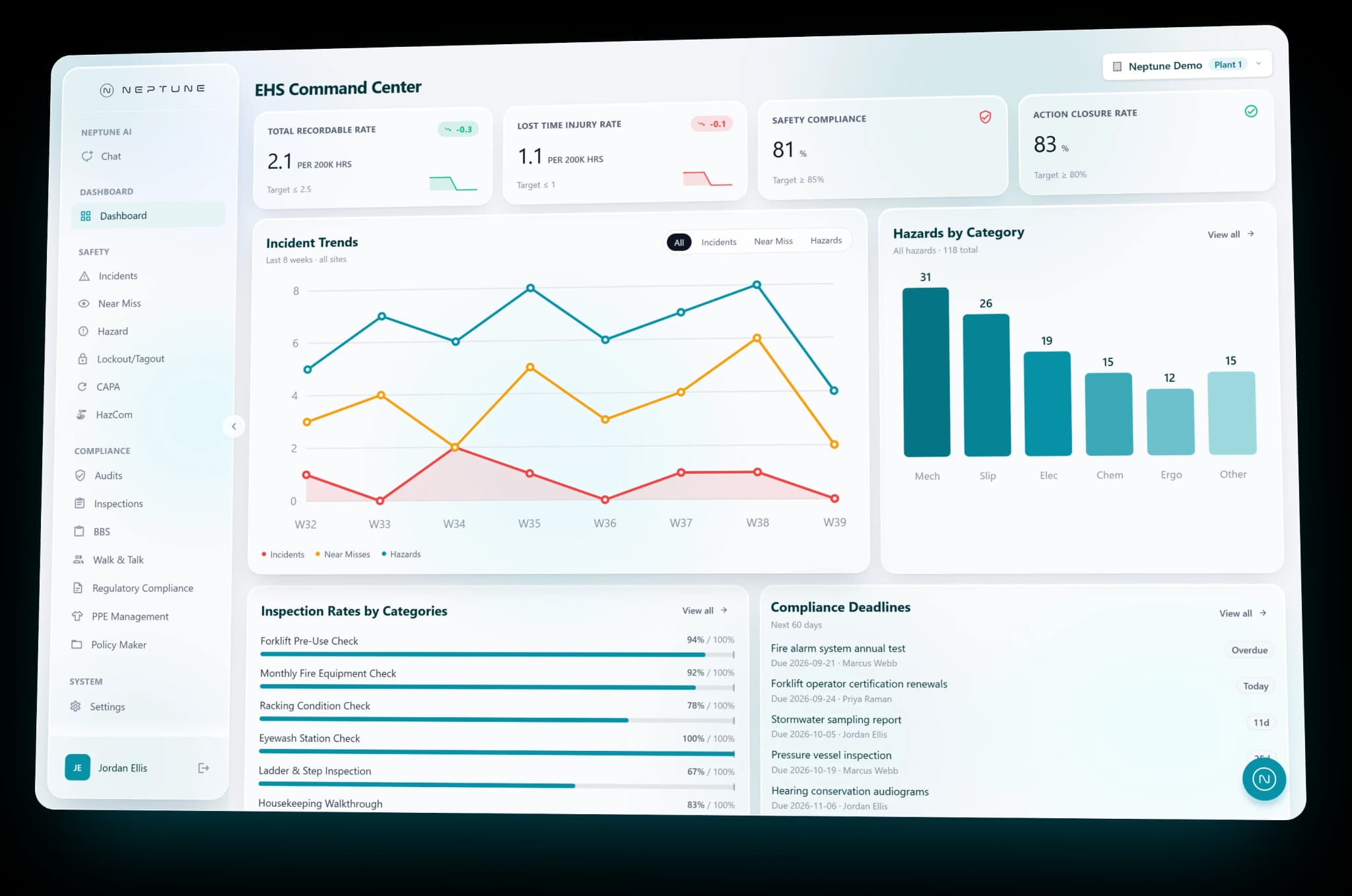
Neptune puts that work in one place. Incidents, CAPA, Lockout/Tagout, HazCom and audits are five of its 14 modules, and each user's access is set by role. Lockout/Tagout keeps each machine's energy-control procedure, and records who locked out what and when it was released. HazCom holds the chemical inventory, the safety data sheets and the labels together.
One backend, five front ends
Neptune is five front ends on one backend:
- The product, the dashboard safety teams use every day, with all 14 modules.
- An admin console, where each company's admins manage their people.
- A demo hub, which gives each prospect a space with an overview, assets, an action plan and live chat.
- A host console, where Neptune's demo hosts sign in with Microsoft and manage bookings, availability and hub content.
- The marketing site, neptunehs.com, with demo booking and rescheduling.
Behind all five sits one .NET API on PostgreSQL. A rule about who may see what, or how a rate is counted, lives in one place, and every front end gets the same answer.
Three kinds of event, kept apart
An incident means harm happened, a near miss means it almost did, and a hazard means it could.
In Neptune each of the three is its own module, and a near miss or a hazard can become an incident. One record with a status field would have looked simpler. It would also have been wrong. The three are different facts, and safety teams record them as different facts.
The lesson we'd pass on is short. When the people who use the software draw a line between two things, the data model should draw the same line.
Audits and inspections, split on purpose
Audits and inspections started on one shared engine. We split them into separate templates, runs and endpoints, because the work differs even where the screens look alike.
Shared code saves time while two things change together. Once they stop changing together, every change to one puts the other at risk. Screens that look the same are a weak reason to share an engine.
Injury rates by the book
TRIR and LTIR, the total recordable and lost time injury rates, have legal formulas. Each is cases times 200,000, divided by hours worked. The code keeps them exactly as defined.
A safety team reports these rates under OSHA rules, so the dashboard has to show what the formula gives, every time.
Permissions in the sign-in token
Each user's permissions travel in their sign-in token. Every screen reads them from there, and so does the AI, so each person sees only what their role may see.
This matters more once a product has AI in it. A chat that answers questions from your data has to follow the same access rules as the screens. With permissions in the token, it reads them from the same place the screens do.
One shape for messy data
The API's responses mix naming styles. A mapping layer turns them into one shape before any screen touches them. The screens work with one shape, and a naming change gets fixed in the mapping layer instead of on every screen.
AI where the work happens
Neptune's AI sits inside the work, in two places.
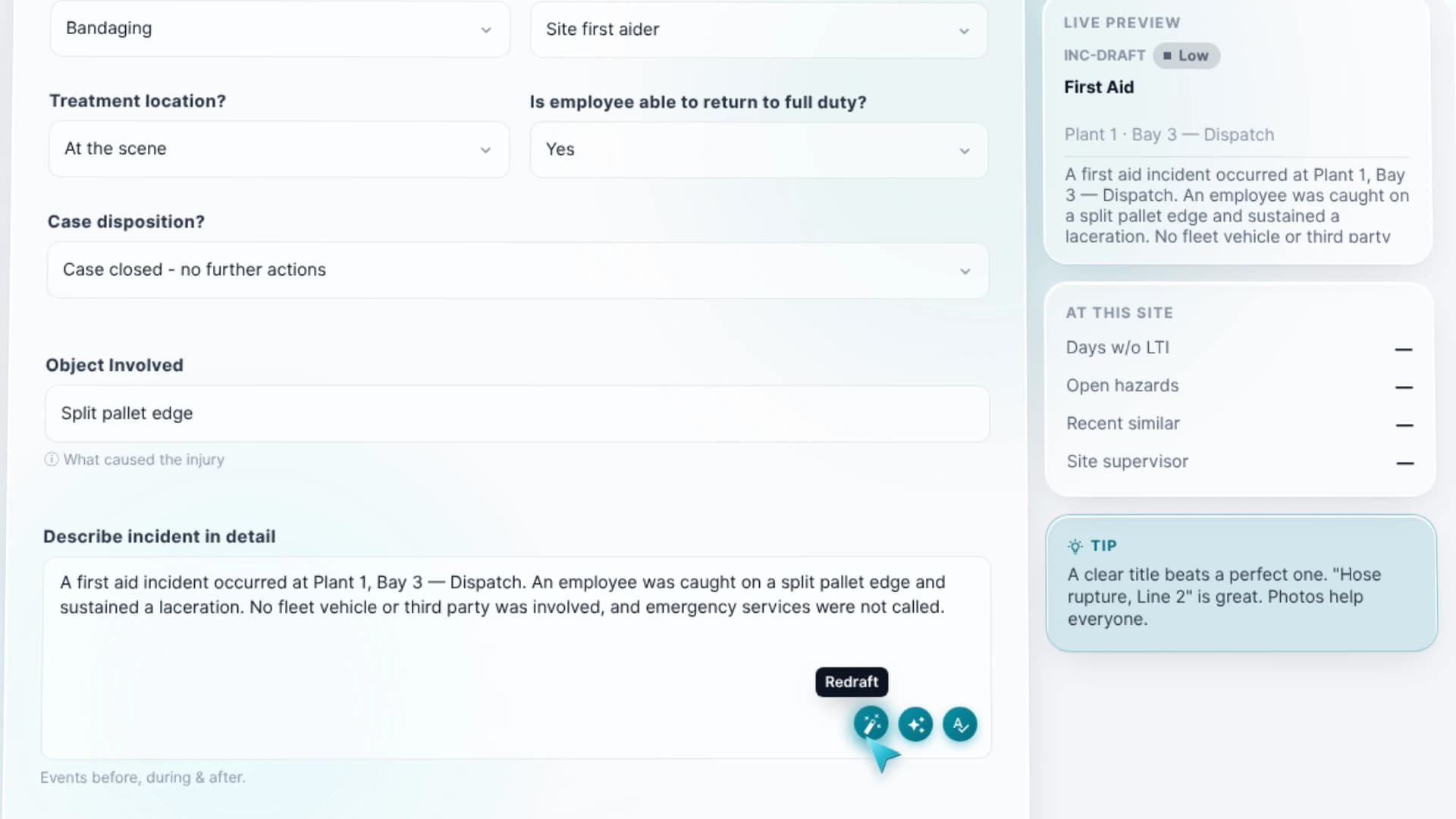
Writing help on incident, near-miss and hazard reports can proofread, paraphrase and draft, and each change has an undo. The person filing the report decides what stays.
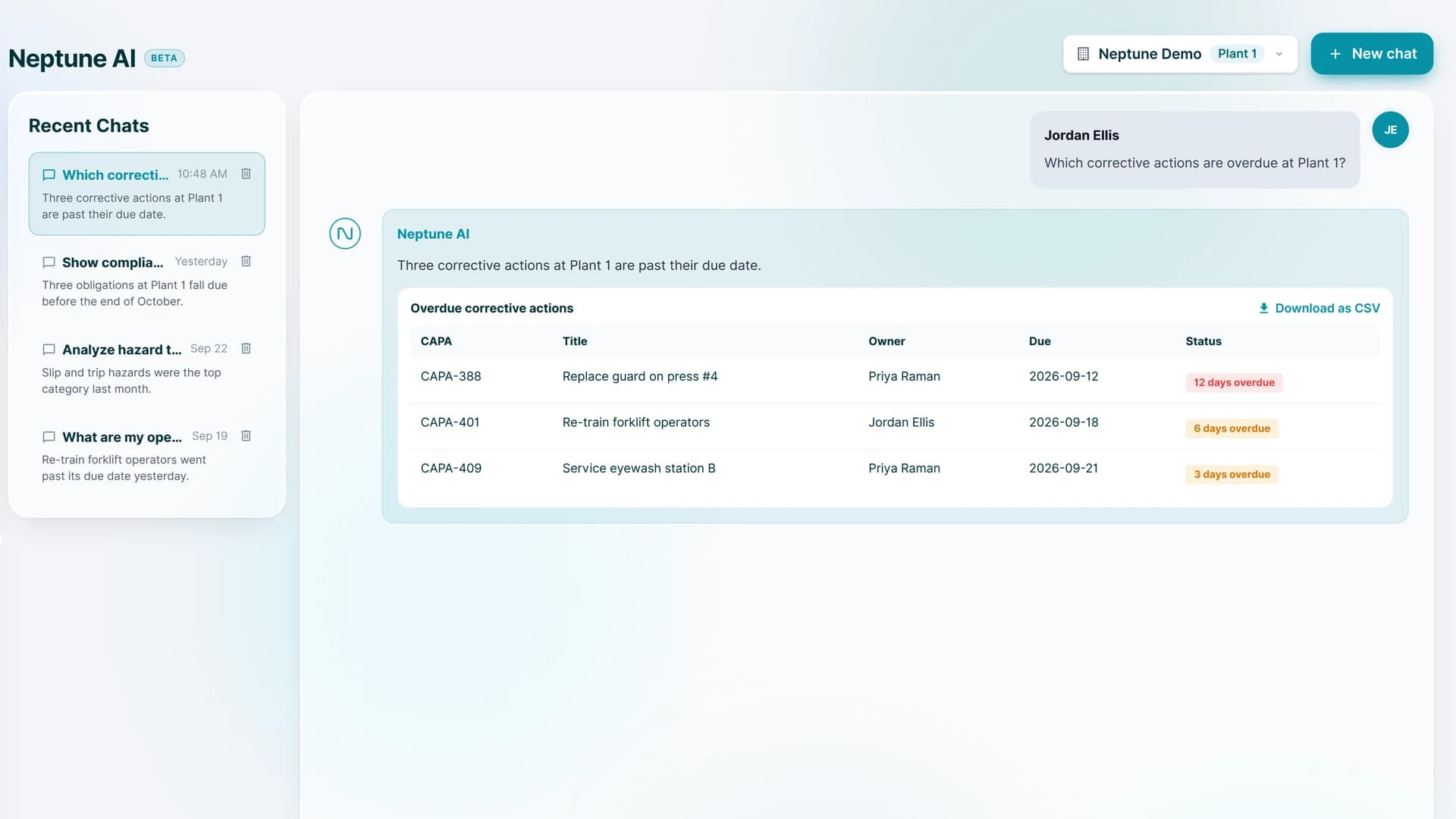
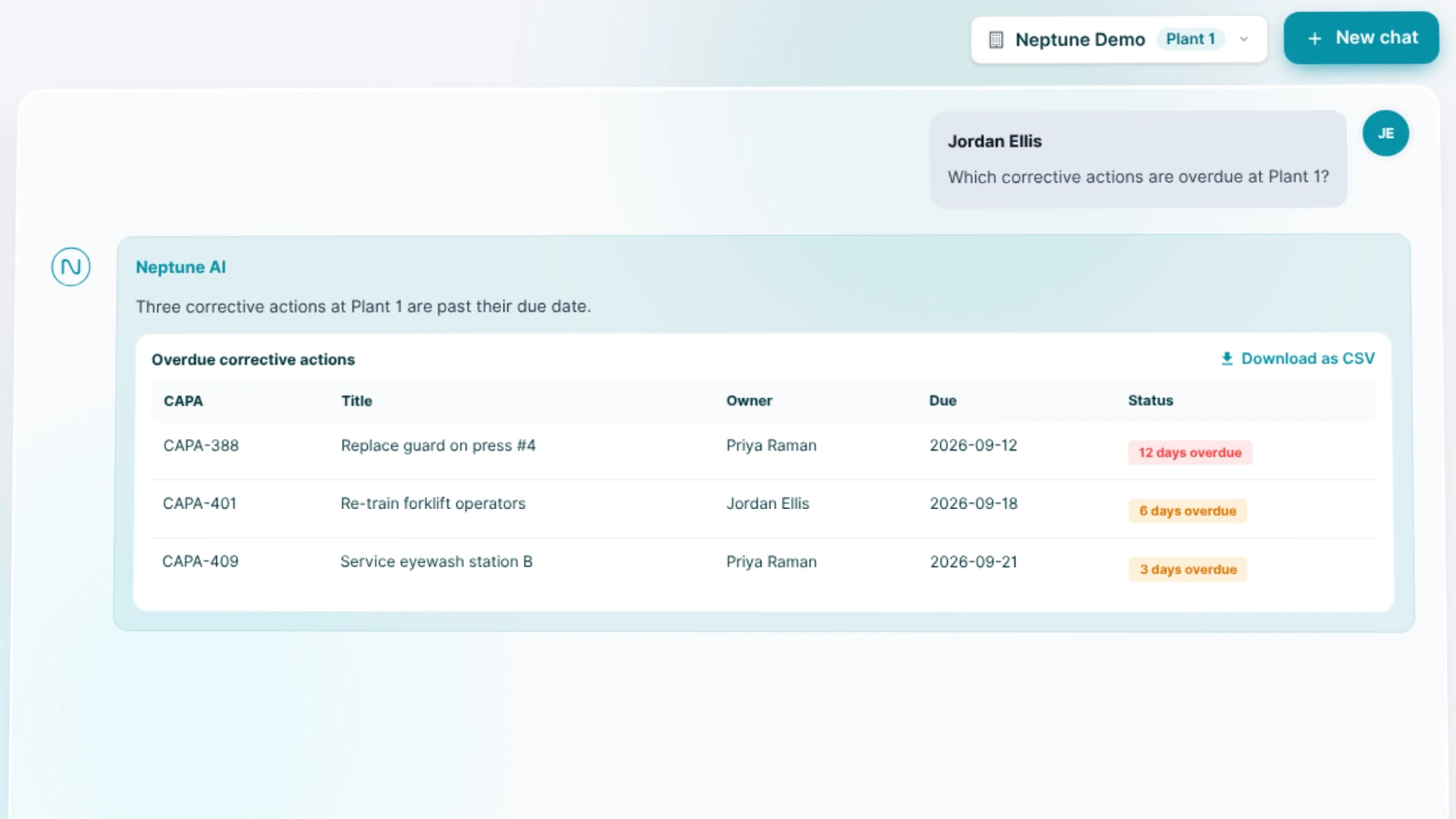
Neptune AI is a chat that answers questions from the data for the user's own site, such as which corrective actions are overdue at a plant. It works through ten read-only tools, filtered to what that user may see. It can look records up. It cannot change them.
The order we built it in
- The backend
- The incident module
- The product dashboard and the marketing site
- The demo hub and the host console
- The admin console and AI writing help
- The Neptune AI chat and the launch film
The AI features came in the last two stages, after the backend, the incident module and the dashboard. We'd keep that order on any product with AI in it. The data comes first, then the features that read it.
The stack
The front ends use Next.js 16, React 19, Tailwind CSS and TanStack Query. The backend uses .NET 10, Entity Framework Core and PostgreSQL. SignalR, Microsoft Entra ID and Amazon S3 are part of the stack too. The AI features use an LLM API, and we made the launch film with Remotion.
What carries over to other builds
- Model the distinctions your users make, even when one table looks simpler.
- Split shared code when the work splits, even if the screens match.
- Where a regulator defines a number, code the definition as written.
- Put permissions where every screen and the AI read them.
- Give AI read-only tools and an undo before you give it anything more.
Where to see it
Neptune EHS is at neptunehs.com. If you're building software where the rules come from outside your company, we're glad to talk through the data model with you before the first line of code.